WhatsApp Scheduled Messages Roll Out Globally: Send Texts, Photos and Videos Up to 14 Days Later
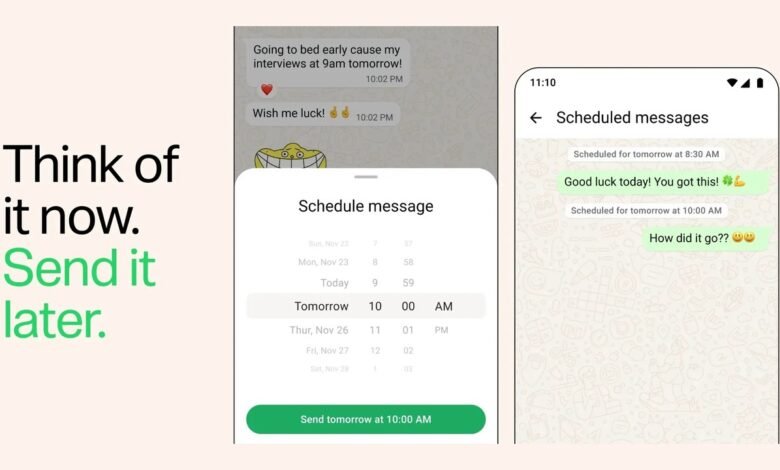
WhatsApp has finally added the feature its users have asked for the longest. Scheduled messages, announced on November 25, 2026, let you write a message now and have it sent anywhere from 10 minutes to 14 days later, in one-to-one and group chats, with texts, photos and videos. The rollout is global and reaches every account over the coming weeks, so the option may not be on your phone yet.
How to Schedule a Message
Scheduling lives inside the send button, so there is nothing new to learn. Type the message first, then press and hold Send instead of tapping it. A picker opens with a date and time wheel. Choose when the message should go out and confirm, and WhatsApp takes it from there.
Step 1: Open any one-to-one or group chat
Step 2: Type your message, or attach a photo or video
Step 3: Press and hold the Send button (on WhatsApp Web, tap the clock icon next to Send)
Step 4: Pick the date and time, from 10 minutes to 14 days ahead
Step 5: Tap “Send at [your chosen time]” to confirm
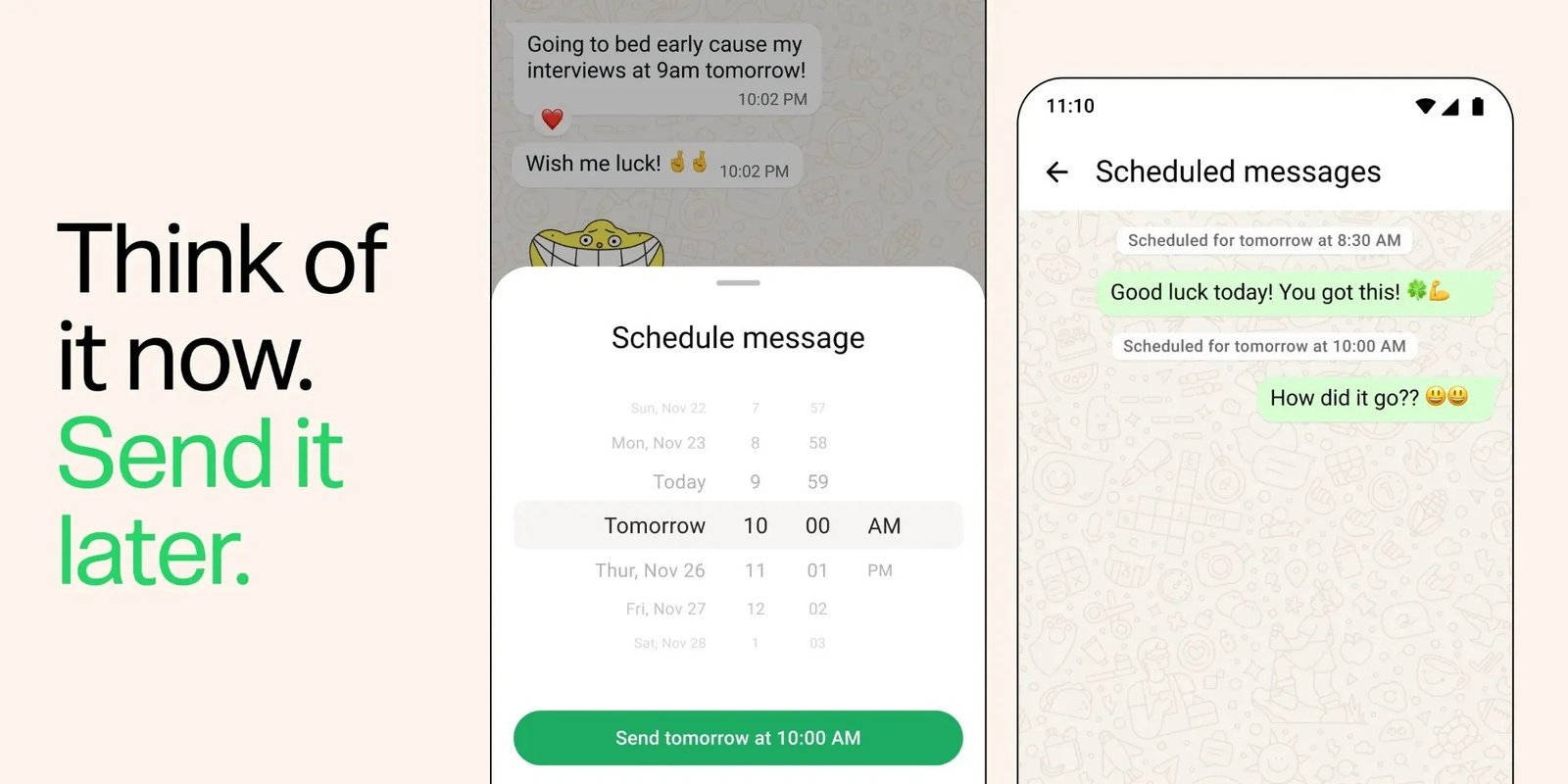
The message looks like any other message to the person receiving it. To see what you have lined up, tap your profile picture, then Scheduled messages. To cancel one, press and hold it and tap Delete. WhatsApp has not confirmed an edit option, so changing a scheduled message means deleting it and scheduling a new one.
What You Can Schedule — and the Limits
The headline detail is that a scheduled message still goes out when your phone is off, out of battery or offline. Scheduled messages keep the same end-to-end encryption as ordinary chats, so no one outside the conversation can read them, not even WhatsApp. The limits matter too. In a group chat, a scheduled message only reaches the people who were members when you wrote it; anyone who joins later never sees it. WhatsApp Business does not get the feature at launch. And the window is fixed: nothing earlier than 10 minutes, nothing later than 14 days.
Scheduling window: 10 minutes to 14 days ahead
Works with: Text, photos and videos
Chats: One-to-one and group chats
Phone off: Message still sends
Encryption: End-to-end encrypted
WhatsApp Business: Not yet available
Editing: Not confirmed — delete and schedule again
Why It Matters in Pakistan
WhatsApp is the messaging app most Pakistanis open first each morning, for family groups, work chats and school groups. A built-in scheduler takes over the jobs people now handle with reminders or third-party apps: birthday wishes at midnight, a reminder to a colleague before office hours, a message to family while you are travelling. Telegram, Signal and Apple Messages have offered scheduling for a while; WhatsApp tested it with Android beta users in October before the global rollout. The feature is small, but it removes a daily friction from millions of chats.
Final Verdict: Small Feature, Daily Difference
Scheduled messages will not change what WhatsApp is, but they will change how many people use it each day. The rollout is gradual, so update the app and check the send button; if the option is missing, it has not reached your account yet.